HP
Laptops, desktops, printers, inks and toners
Customer support
- Home customers1800 108 4749
- Business customers1800 108 4750
- Technical support1800 258 7170
- Working hoursMon – Fri, 9:00 AM – 7:00 PM
Laptops, desktops, printers, inks and toners

Printers, scanners, toners and inks

CCTV cameras, DVRs, NVRs and surveillance

Routers, Wi-Fi, mesh, switches and adapters

Keyboards, mice, headsets, webcams and gaming gear

Antivirus and internet security

Printers, ink tanks and genuine inks

Printers, cameras, inks and toners
Samkit Infotech is the IT distributor and computer accessories shop in Tamil Nadu for genuine laptops, printers, inks and toners, CCTV cameras, Wi-Fi routers, keyboards, mice and headsets from HP, Brother, TP-Link, Logitech, CP Plus and K7, at distributor prices. Visit us in Chennai, Coimbatore or Madurai, or order for delivery across India.
NEWLogitech G series gaming zone – mice, keyboards, headsets & racing wheels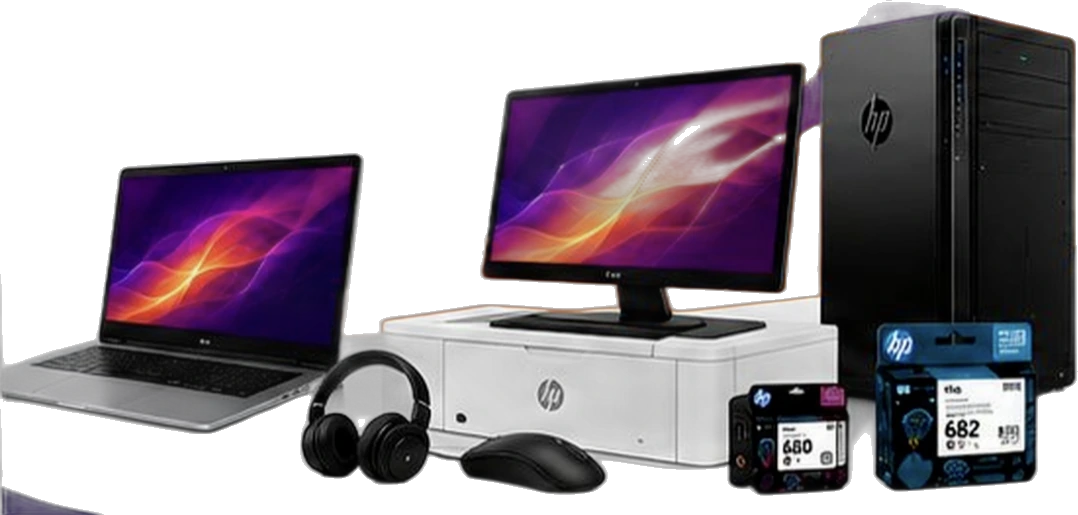
100% genuine products with official warranty
Pan-India delivery and efficient logistics
Dedicated support and long-term relationships
Reliable service and technical assistance
We source directly from brands and their authorised channels, so every product you buy is original and covered by the manufacturer’s warranty.
HP, Brother, TP-Link, Logitech, CP Plus and K7 are authorised partnerships. Canon, Epson and D-Link products are sourced through authorised channels. All brand names are trademarks of their respective owners.
Brand pages: HP · Brother · TP-Link · Logitech · CP Plus · K7 Total Security · Canon · Epson · D-Link
From laptops, printers, inks and toners to CCTV cameras, Wi-Fi routers and accessories — 550+ products in our online catalogue, and many more on request. Setting up a home office, securing a shop or restocking cartridges, we deliver the right product to your door.
Describe how you'll use it — where, for whom and your budget — and we'll suggest the right products.
Samkit Infotech LLP started in 2019 as a partnership firm in Chennai. Our two founders each bring more than 25 years of experience in the IT industry, and today we serve homes, shops, offices, resellers and institutions from three Tamil Nadu branches with delivery all over India.


Resellers, system integrators, corporates, government bodies and institutions rely on Samkit Infotech for genuine products and dependable supply. Retail buyers get the same distributor stock, pricing and support as our business customers — whether you need a single ink cartridge or a complete office setup.
Original Logitech G gaming mice, mechanical keyboards, headsets, racing wheels and mouse pads – G502 X PLUS, PRO X SUPERLIGHT 2, G305, G915 X, G733, G923 TRUEFORCE, G29 and more – plus TP-Link Archer GE400 and BE230 Wi-Fi 7 routers built for low-lag gaming. Authorised Logitech partner with official warranty, ready stock in Chennai, Coimbatore and Madurai and delivery across India.
The fastest, fully customisable click with Haptic Inductive Trigger System.
Part no: 910-007778 (Lunar Eclipse)
Get priceDesigned with pros. Engineered to win.
Part no: 910-007359 (Black), 910-007367 (White), 910-007375 (Pink)
Get priceThe reimagined legend with LIGHTSYNC RGB and hybrid switches.
Part no: 910-006164 (Black), 910-006173 (White)
Get priceThe next evolution of a pro gaming icon, faster and more precise.
Part no: 910-006632 (Black), 910-006640 (White), 910-006799 (Magenta)
Get priceAmbidextrous wireless gaming mouse.
Part no: 910-007297 (Black)
Get priceIcon. Reinvented.
Part no: 910-006182 (Black)
Get priceIconic G502 design with pro-grade LIGHTSPEED wireless.
Part no: 910-005569 (Black)
Get priceThe HERO your game deserves.
Part no: 910-005472 (Black)
Get priceUltra-fast FPS gaming mouse.
Part no: 910-004070 (Black)
Get priceIcon. Reinvented.
Part no: 910-006140 (Black), 910-006148 (White)
Get priceLatest technology with an impressive 250-hour battery life.
Part no: 910-006041 (Black)
Get priceLight up your game and your desk.
Part no: 910-005790 (Black), 910-005791 (White)
Get priceUninterrupted power for uninterrupted play.
Part no: 947-000004 (Black)
Get pricePrecision gaming surface for low-DPI mastery.
Part no: 943-000808 (Black)
Get priceConsistent tracking. Complete freedom.
Part no: 943-000780 (Black)
Get priceDesigned for comfort, built for performance.
Part no: 943-000801 (Black)
Get priceHigh speed meets high precision.
Part no: 943-000794 (Black)
Get priceElevate your control. Elevate your game.
Part no: 943-000787 (Black)
Get priceLow-profile gaming keyboard with KEYCONTROL customisation.
Part no: 920-012680 (G915 X LIGHTSPEED), 920-012726 (G915 X TKL LIGHTSPEED), 920-012944 (G915 X Wired)
Get priceLow profile, high performance.
Part no: 920-012580 (Black), 920-012581 (White)
Get priceLow profile, high performance.
Part no: 920-012912 (Black)
Get priceTournament-proven, now with advanced GX mechanical switches.
Part no: 920-009396 (Black)
Get priceSimple, durable and full-featured.
Part no: 920-009354 (GX Brown (Tactile)), 920-008949 (GX Blue (Clicky))
Get priceSimple, durable and full-featured.
Part no: 920-010859 (Black)
Get priceDesigned for gaming and productivity.
Part no: 920-010860 (Black)
Get priceDesigned for gaming and productivity.
Part no: 920-006096 (Black)
Get priceWireless gaming headset built for performance, comfort and style.
Part no: 981-000867 (Black), 981-000886 (White)
Get priceSturdy, lightweight aluminium and steel frame built for durability and comfort.
Part no: 981-000820 (Black)
Get priceDesigned with and for pros for advanced communications and precision audio.
Get priceVibrant style. Great audio.
Part no: 981-000979 (Black), 981-001019 (White)
Get priceFeel the game with 7.1 surround sound.
Part no: 981-000774 (Black)
Get priceRacing wheel for PlayStation and PC with next-gen force feedback.
Part no: 941-000163 (PlayStation / PC)
Get priceDefinitive sim racing hardware for PlayStation and PC.
Part no: 941-000143 (PlayStation / PC)
Get priceSix-speed shifter for G29 and G923 racing wheels (PS5, PS4, PC).
Part no: 941-000132 (Black)
Get pricePrecise control with fast 2.4 GHz wireless. Works on PC and Android TV.
Part no: 940-000119 (Silver/Black)
Get pricePrecise control and familiar console layout. Plug-and-play on PC.
Part no: 940-000112 (Blue/Grey)
Get priceBE3600 Dual-Band Wi-Fi 7 Router for next-level gaming.
Part no: Archer BE230
Get priceBE6500 Dual-Band Wi-Fi 7 Gaming Router. Designed for gamers, driven by speed.
Part no: Archer GE400
Get priceWalk in to any of our three branches for ready stock, or order from anywhere in India. We dispatch fast to retailers, dealers and businesses across Tamil Nadu and the rest of India.
2nd Floor, Raheja Complex, Shop No. 12, 834, Narasingapuram St, Anna Salai, Chintadripet, Chennai, Tamil Nadu 600002
Open Mon–Sat, 10:30 am – 8 pm
Get directions on Google MapsDr Radhakrishna St, 6 Corner, Tatabad, Coimbatore, Tamil Nadu 641012
Open Mon–Sat, 10 am – 8 pm
Get directions on Google Maps1st Floor, 221, Naicker New St, Simmakkal, Madurai Main, Madurai, Tamil Nadu 625001
Open Mon–Sat, 10:30 am – 7:30 pm
Get directions on Google MapsReal Google reviews from businesses and buyers who shop with Samkit Infotech, the IT distributor and computer accessories shop in Tamil Nadu.
I purchased TP-Link Omada products from Samkit Infotech LLP, and I must say, they are true super stockists for the brand. Sourabh Sakariya, my point of contact, was extremely professional and patient — instead of rushing through queries like most sales reps, he took the time to educate me on the various Omada product lines, explaining the differences between models and helping me choose the right configuration.
Over time, I’ve purchased equipment worth several lakhs from them, and I can confidently say their pricing is competitive, products are 100% genuine, and their support is among the best I’ve experienced, they also deal in Brother printers and CP Plus cameras, which might not be widely known but are definitely worth exploring. …
If you want to get brother brand printers in Chennai this is the go to place. They are not retailers but distributors , so the best price is guaranteed, no middle man fee. Extremely satisfied with the quality, reception of customer and calm explanation of product and setup instructions. They said they'll help in service too. Thanks.
Practical guides written by our founders from 25+ years in IT distribution.
Router, extender, mesh or access points? A distributor’s practical guide to fast, stable Wi-Fi on every floor of an Indian home.
Read guideHow many cameras, which type, how much storage and what India’s STQC rules mean for your purchase — from a CP Plus distributor.
Read guideSpot counterfeit ink and toner in under two minutes — the HP security label, QR verification and the warning signs we see at our counter.
Read guideQuick answers about buying genuine IT products from Samkit Infotech.
We are authorised partners of HP, Brother, TP-Link, Logitech, CP Plus and K7 Total Security, and we also supply genuine Canon, Epson and D-Link products. Every product is 100% genuine with the official brand warranty, we hold large inventory at distributor prices, and we deliver across India from our branches in Chennai, Coimbatore and Madurai. Our two founders each bring more than 25 years of IT industry experience.
Samkit Infotech LLP runs a computer accessories shop and IT distribution branch in each city: Anna Salai (Chennai), Tatabad (Coimbatore) and Simmakkal (Madurai). Walk in for genuine keyboards, mice, headsets, webcams, routers, cartridges and more, or WhatsApp us for price and stock. Branch addresses and phone numbers.
All three branches are open Monday to Saturday and closed on Sunday. Chennai (Anna Salai): 10:30 am – 8 pm. Coimbatore (Tatabad): 10 am – 8 pm. Madurai (Simmakkal): 10:30 am – 7:30 pm.
Both. Along with resellers, system integrators, corporates and institutions, we sell directly to home users and small businesses, whether you need a single ink cartridge or a complete office setup. See our distribution services.
HP, Brother, CP Plus, TP-Link, Logitech, K7 Total Security, Canon, Epson and D-Link, covering laptops, desktops, printers, inks, toners, CCTV, Wi-Fi and networking, computer accessories and antivirus. Browse the catalogue.
Yes. Along with walk-in branches in Chennai, Coimbatore and Madurai, we dispatch IT products to customers and dealers all over India. Share your pin code on WhatsApp and we will confirm delivery time and charges.
Call or WhatsApp a branch — Chennai +91 90800 97739 (Yaksh) or +91 96001 65447 (Saurabh), Coimbatore +91 74183 62241 or Madurai +91 97407 92279 — or email sales@samkitinfotech.co.in with the model number and quantity. We reply within 1 hour with current stock and our best price.
Products bought from Samkit Infotech carry the official brand warranty. If a product fails or is damaged, you can contact the brand's service team directly. Keep your invoice and the product's serial number ready when you call.
Please note: Samkit Infotech sells these products but does not repair them. For warranty, repair or replacement, contact the brand directly.
Send us the product name or part number on WhatsApp, or call your nearest branch, and we'll reply within 1 hour with stock and price.
Have a question about prices, stock or bulk orders? Reach us the way that suits you.
Router, extender, mesh or access points? A distributor’s practical guide to fast, stable Wi-Fi on every floor of an Indian home.

“The Wi-Fi works downstairs but not in the bedrooms” is the single most common networking complaint we hear at our branches. Indian homes are tough on Wi-Fi: reinforced concrete slabs, brick walls, staircases in the middle and the internet provider’s router often stuck in a corner of the ground floor. This guide explains how to pick the best Wi-Fi for a multi-floor home — router, extender, mesh or access points — based on what we see working for customers who buy TP-Link networking products from us every day.
Buying a “more powerful” single router rarely fixes this, because your phone also has to send signal back to the router through the same concrete. The real fix is to put access points closer to where people use Wi-Fi.
A good dual-band or tri-band router placed centrally can cover a compact home of one floor or a small duplex. If your home is under about 1,200 sq ft and the router can sit near the middle of the house (for example, on the staircase landing), start here.
Best for: single-floor flats and small duplexes. Not for: three floors or thick walls.
An extender picks up the router’s signal and repeats it. It is cheap and quick, but it has two weaknesses: it can only repeat the signal it receives (so it must sit where coverage is still decent), and many extenders create a separate network name, so devices do not roam smoothly.
Best for: fixing one weak room close to the router. Not for: whole-house coverage across floors.
A mesh system, such as TP-Link Deco, uses two or more units that work as one network with one name and password. Your devices move between units automatically as you walk around. The units talk to each other wirelessly or, better still, over an Ethernet cable.
Best for: most multi-floor homes and villas. Tip: place one unit per floor, in an open spot roughly above or below the others.
For large villas, home offices or homes with many users, a business-style system such as TP-Link Omada — a gateway, a PoE switch and ceiling or wall access points on each floor connected by Cat6 cable — gives the most consistent performance and central control. It needs cabling and some planning, which is why it is popular in new construction and renovations.
Best for: large homes, home offices, guest houses and small offices.
| Option | Coverage | Seamless roaming | Setup effort | Typical use |
|---|---|---|---|---|
| Single router | 1 floor / small home | N/A | Easy | Flats up to ~1,200 sq ft |
| Range extender | One extra room | Limited | Easy | Fixing a single dead spot |
| Mesh (wireless backhaul) | 2–3 floors | Yes | Easy | Most duplexes and villas |
| Mesh (wired backhaul) | 3+ floors, thick walls | Yes | Moderate (needs cable) | Concrete-heavy homes |
| Access points (Omada) | Any size | Yes | Planned install | Large homes, home offices |
There is an important Indian update here. In January 2026 the Government of India delicensed the lower 6 GHz band (5925–6425 MHz) for indoor Wi-Fi, following draft rules issued in May 2025 (Indian Infrastructure; Wi-Fi NOW). That opens the door for Wi-Fi 6E and Wi-Fi 7 equipment to use the 6 GHz band in homes. Availability of 6 GHz features depends on each product’s certification and firmware for India, so ask before you buy if 6 GHz matters to you.
Our practical advice: if your internet plan is 300 Mbps or below and you have fewer than 25 devices, a good Wi-Fi 6 mesh is plenty. If you have a 1 Gbps fibre plan, a lot of devices, or you play competitive online games, Wi-Fi 7 is a sensible investment that will last longer.
These are starting points. Thick walls, long L-shaped layouts and many devices may need an extra unit.
In a wireless mesh, the units use part of their Wi-Fi capacity to talk to each other. Through concrete, that link can be the bottleneck. Running a Cat6 cable between floors and connecting the mesh units by Ethernet (wired backhaul) usually gives a big jump in speed and stability. If you are building or renovating, ask your electrician to lay one Cat6 cable from the ground-floor router position to a central point on each floor. It costs little during construction and is very hard to add later. We supply indoor D-Link Cat6 cable in 305 m boxes for exactly this.
Coverage is only half the story; how you use the network matters too. A few situations come up again and again with our customers:
Mention these uses when you ask for a recommendation. The right answer for a family that mostly streams video is different from the right answer for a household with two people working from home.
Better coverage also means more devices connected to your network, so a few security habits matter:
Most fibre connections in India arrive at an ONT, often combined with a basic Wi-Fi router supplied by the internet provider. You have three choices. You can keep it and simply add a mesh system behind it, connected by Ethernet — the easiest option. You can ask the provider to set the device to bridge mode so your own mesh router handles everything, which avoids “double NAT” issues with gaming and remote CCTV viewing. Or, where the provider allows it, you can replace it with your own compatible fibre router. Always check with your ISP before changing anything, as some plans need their own device for voice or IPTV services.
| Home | Suggested setup |
|---|---|
| 2BHK flat, single floor | Wi-Fi 6 dual-band router, centrally placed |
| Duplex, 2 floors | Wi-Fi 6 mesh, 2-pack |
| Independent house, 3 floors | Wi-Fi 6 or Wi-Fi 7 mesh, 3-pack, wired backhaul if possible |
| Large villa with garden | Wi-Fi 7 mesh or Omada access points + outdoor unit |
| Home office with CCTV and NAS | Omada gateway, PoE switch and ceiling access points; separate network for cameras |
Samkit Infotech is an authorised TP-Link partner. We stock Wi-Fi 7 and Wi-Fi 6 routers, Deco mesh systems, range extenders, fibre routers, Omada business networking and Cat6 cabling at our Chennai, Coimbatore and Madurai branches, with delivery across India. Browse the Wi-Fi and networking range, or tell us your floors, approximate area and internet plan on WhatsApp and we will recommend a setup. For larger homes and offices, see our Wi-Fi and networking solutions.
Good Wi-Fi in a multi-floor home is not about a bigger antenna. It is about putting an access point on every floor, connecting them well and keeping the system updated. Get those three right and the whole house will finally have fast, stable internet.
Information on rules, prices and product specifications was accurate when last updated. Always confirm current details with the brand or a qualified advisor.
Yes. A mesh system creates one network with seamless roaming and places a unit on each floor, while an extender only repeats a signal it receives and often creates a separate network. For three floors, a 3-unit mesh — ideally with wired backhaul — performs far better.
Most 2-floor homes of 1,500–2,500 sq ft need two mesh units, one per floor. Add a third if you have thick RCC walls, a long layout, a terrace room or many connected devices.
Wi-Fi 6 is enough for most homes on plans up to about 300 Mbps. Choose Wi-Fi 7 if you have a gigabit fibre plan, many devices or play competitive online games. India delicensed the lower 6 GHz band for indoor Wi-Fi in January 2026, which benefits Wi-Fi 6E and Wi-Fi 7 equipment.
Wired backhaul means connecting mesh units to each other with an Ethernet (Cat6) cable instead of wirelessly. It frees the Wi-Fi radios to serve your devices and is the most effective way to get full speed on upper floors of concrete homes.
Place it high, in an open central spot such as the staircase landing, not on the floor, inside a cabinet or behind the TV. If the fibre enters at a corner, use a mesh unit near the staircase on each floor.
How many cameras, which type, how much storage and what India’s STQC rules mean for your purchase — from a CP Plus distributor.
Read guideSpot counterfeit ink and toner in under two minutes — the HP security label, QR verification and the warning signs we see at our counter.
Read guideAuthorisation, GST invoicing, real stock, warranty and pricing — the checklist our founder would give a friend before they pick a supplier.
Read guideMessage the branch nearest to you with the product, model number and quantity. We reply with availability and our best distributor price.